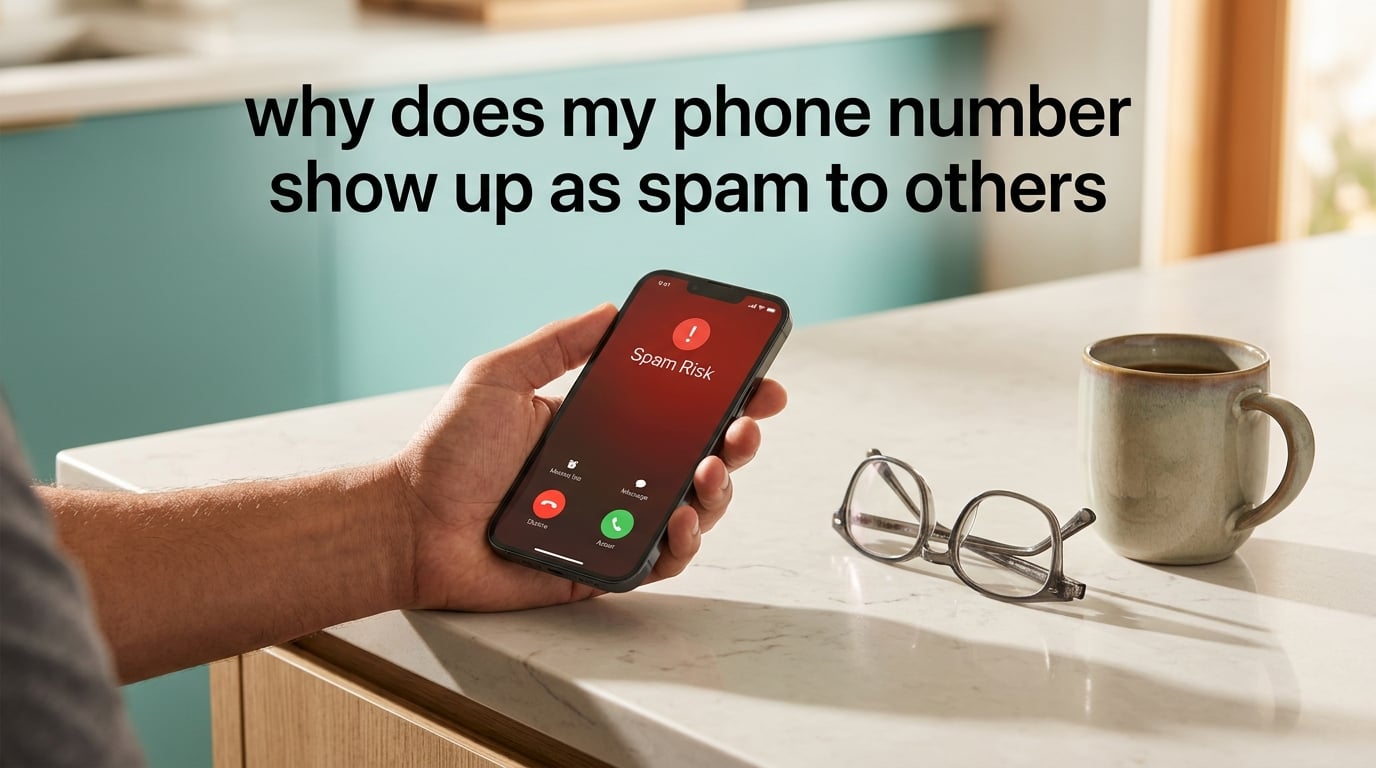
Your phone number shows up as spam to others because your carrier, or a third-party analytics service like Hiya, TNS, or First Orion, has flagged your number as a likely source of unwanted calls. That flag is usually triggered by call volume, user complaints, recycled-number history, or AI-driven pattern scoring on outgoing calls. Once the label is attached, anyone you call may see “Spam Risk,” “Scam Likely,” or a similar warning on their caller ID before they pick up.
I dug into this topic because it frustrates me too. A new contact recently told me my number was flashing as “Spam Risk” on their phone. I had not done anything suspicious, yet their phone was already warning them away from me. That kicked off the research that became this guide. In the sections below, I will walk you through the exact reasons this happens, how the detection system actually works, and the steps you can take today to remove the label from your number.
ContentsTable of Contents›
- Key Takeaways
- What “Spam Risk” and “Scam Likely” Mean on Caller ID
- 6 Common Reasons Your Number Is Flagged
- Caller ID Spoofing: Why Your Number Can Look Bad Through No Fault of Your Own
- How Carriers Actually Detect Spam
- Personal vs. Business Number Flagging: What’s Different?
- How to Remove the Spam Label from Your Number: Step-by-Step (Personal Users)
- Step 1: Register with the Free Caller Registry
- Step 2: Submit a removal request to Hiya
- Step 3: Submit a removal request to TNS Call Guardian
- Step 4: File a request with your carrier directly
- Step 5: Register your number with the Reassigned Numbers Database
- Step 6: Ask your contacts to unmark your number
- How to Remove the Spam Label from Your Number: Step-by-Step (Business Users)
- Step 1: Register all outbound numbers in advance
- Step 2: Throttle your outbound call volume
- Step 3: Mind your call abandonment rate
- Step 4: Get a C-level or B-level STIR/SHAKEN attestation
- Step 5: Display the company name on outbound calls
- Step 6: Use consistent numbers per campaign
- Third-Party Caller ID Apps: Truecaller, Hiya, RoboKiller, Nomorobo
- Remediation Timeline: How Long Does It Take?
- Will the Spam Label Go Away Permanently?
- What to Text the Recipient After the Label Is Removed
- Pro Tips to Prevent a Spam Label from Coming Back
- Frequently Asked Questions
- Why does my phone number show up as spam to others?
- Why would my phone number be flagged as spam risk?
- How do I stop my phone number from being marked as spam?
- Can I remove my number from spam lists?
- What does ‘Scam Likely’ mean on an incoming call?
- Why do spam calls always have local area codes?
- Is STIR/SHAKEN supposed to prevent spam labeling?
- How do carriers decide to label a number as spam?
- Will my phone number always show as spam now?
- Can someone spoof my phone number and make it look like spam?
- What is the Free Call Registry and does it work?
- How long does it take to remove a spam label from my number?
- The Bottom Line on Why Your Phone Number Shows Up as Spam
Key Takeaways
- Carrier labeling is automatic. Your number is scored by Hiya, TNS, First Orion, and the carriers themselves. You do not need to do anything wrong to get flagged.
- Recycled numbers carry the previous owner’s reputation. If you recently got a new phone number, the spam flag may have nothing to do with you.
- There are official forms for remediation. Free Caller Registry, Hiya, TNS, Verizon Voice Spam Feedback, T-Mobile Call Reporting, and AT&T ActiveArmor all accept unblock requests.
- Most labels clear in 1 to 4 weeks. The timeline depends on the carrier, the analytics provider, and how many of them flagged your number.
- Prevention beats remediation. Registering your number before you start a heavy outbound call campaign keeps your reputation score clean from day one.
What “Spam Risk” and “Scam Likely” Mean on Caller ID
“Spam Risk,” “Scam Likely,” “Potential Spam,” and “Fraud Risk” are caller ID labels that warn the recipient before they answer. Each carrier has its own wording, but the underlying meaning is identical. A call analytics engine has scored your number poorly and the warning is being broadcast to whoever you are calling.
The labels come from a mix of carrier-owned analytics and third-party reputation databases. The big four in the U.S. are Hiya, TNS (Transaction Network Services), First Orion, and Nomorobo. They watch call patterns across millions of subscribers in real time. When a number behaves like a robocaller, scammer, or high-volume telemarketer, it gets a poor reputation score and the warning label lights up on the recipient’s screen.
Here is a quick breakdown of how the labels vary by carrier:
- AT&T: “Spam Risk” or “Fraud Risk” delivered through ActiveArmor.
- Verizon: “Spam” or “Potential Spam” delivered through Call Filter.
- T-Mobile: “Scam Likely” delivered through Scam Shield.
- Third-party apps (Truecaller, Hiya, RoboKiller): Each has its own wording, often “Spam,” “Telemarketer,” or “Scam.”
The labels are not the same as being blocked. A blocked number rings once and goes to voicemail or fails entirely. A labeled number still rings normally. The difference is that the person you are calling sees a red warning on their screen first, and most people do not pick up when they see it.
6 Common Reasons Your Number Is Flagged
There is no single cause. In most cases I have seen, two or three of the factors below are happening at the same time. The more signals line up, the higher your “spam score” climbs.
- You inherited a recycled number. Carriers recycle phone numbers constantly. If the previous owner used the number for spam or robocalls, the label travels with the number to the next user. The FCC runs a Reassigned Numbers Database specifically to help legitimate callers prove they are new owners, but the analytics providers do not always check it.
- You make a high volume of outbound calls. Anything over 50 unique outbound dials per day, per line, is enough to put you on a watch list. Outbound sales teams, debt collectors, and even small business owners running follow-up campaigns frequently hit this threshold without realizing it.
- People have blocked or reported your number. Every block counts as a complaint. If 0.5 to 1 percent of the people you call mark your number as spam, the analytics engines take notice quickly.
- A scammer spoofed your number. Spoofing is when a robocaller fakes your caller ID to make their calls look local. The downside is that the spoofed calls get flagged and reported. The flag then attaches to your real number, not the scammer’s.
- AI-driven pattern scoring. Modern spam engines look at call duration, time of day, voicemail detection, abandoned calls, and short-ring patterns. If your calls match the signature of a robocaller, the AI labels you regardless of your actual intent.
- Your number is new and unverified. Fresh numbers that have not been used yet often start with a neutral score, but a single burst of suspicious-looking activity can push them straight to a spam label. Pre-registration helps a lot here.
Caller ID Spoofing: Why Your Number Can Look Bad Through No Fault of Your Own
Spoofing is one of the most common reasons honest people get flagged. Robocallers use software that lets them display any number they want on the recipient’s caller ID. They often choose numbers that match the recipient’s area code, which is called neighbor spoofing. The idea is that people are more likely to pick up a local-looking call.
The damage happens when those spoofed calls get answered or reported. The analytics engines trace the complaints back to the displayed number. Since your real number was on the screen, it absorbs the complaint. You may not even know it is happening until a contact tells you they saw your number flagged.
STIR/SHAKEN is the industry framework designed to fight this. It is a set of digital signatures that verify a call really came from the number displayed on the caller ID. Carriers sign legitimate calls and reject unsigned ones. The framework works, but adoption is uneven, and a lot of older VoIP traffic still slips through unsigned. Until every carrier enforces full attestation, spoofing will continue to hurt legitimate numbers.
How Carriers Actually Detect Spam
Every major U.S. carrier uses a layered detection system. The exact algorithms are proprietary, but the public pieces of the puzzle are well documented. Here is how the system reaches a “spam” decision.
- User reports. When a subscriber taps “Report as Spam” or blocks a number, the report flows into the carrier’s analytics database and is often shared with Hiya, TNS, and First Orion.
- Call volume and cadence. Sudden spikes, repetitive short calls, and high abandoned-call rates all feed the spam score.
- Number reputation history. New numbers start with no reputation. Numbers with prior reports, or numbers recycled from a flagged account, carry baggage.
- Pattern recognition. AI models look at the time of day, ring duration, voicemail detection, and whether the call goes to a human or an auto-attendant.
- STIR/SHAKEN attestation level. Calls with full A-level attestation from the originating carrier get a small boost in trust. Calls with no attestation or C-level (lowest trust) get downgraded.
The output is a score, not a binary decision. Every carrier and analytics provider uses its own thresholds. That is why the same number can show as clean on T-Mobile but flagged as Spam Risk on AT&T at the same time.
Personal vs. Business Number Flagging: What’s Different?
Personal numbers and business numbers get flagged through the same engines, but the trigger conditions differ. Personal numbers usually get flagged because of spoofing or recycled-number history. Business numbers usually get flagged because of call volume, abandonment rate, or short-ring patterns.
If you are a small business owner calling customers from your personal cell, you can hit both triggers at once. That is the worst combination, because the analytics engines treat you as a high-risk caller even though every call on your end is legitimate.
Below I split the remediation steps into two tracks. If you are a personal user, follow the personal steps first. If you are running outbound calling for a business, jump to the business section.
How to Remove the Spam Label from Your Number: Step-by-Step (Personal Users)
These steps cover personal phone numbers. The whole process usually takes one to four weeks. Be patient, because the analytics providers update on different schedules.
Step 1: Register with the Free Caller Registry
The Free Caller Registry is a free service that pushes your number into the databases used by Hiya, First Orion, and TNS. Registering does not guarantee a clean label, but it gives legitimate callers a paper trail that the analytics providers will check when complaints come in.
Go to freecallerregistry.com/fcr and submit your number. You will need to verify the number with a one-time code they text you. Once verified, your number enters the legitimacy database.
Step 2: Submit a removal request to Hiya
Hiya powers labels on a large share of Android phones and several carriers. They have a direct unblock form at hiya.com/hiya-business under the “Report Incorrect Information” section. Submit your number, your carrier, and a short note explaining that your number was incorrectly flagged.
Step 3: Submit a removal request to TNS Call Guardian
TNS runs T-Mobile’s Scam Shield backend and a share of Verizon’s Call Filter alerts. Their removal form lives at reportaperson.com. Fill out the same details: your number, the carrier, and the reason for the request.
Step 4: File a request with your carrier directly
Each major carrier has a dedicated channel for false-positive spam reports.
- AT&T: ActiveArmor app, under “Report Incorrect Label.” You can also call 611 from your AT&T phone.
- Verizon: Verizon Call Filter app, then “Report an Issue with Caller ID.” Their web form is at verizon.com/support/call-filter.
- T-Mobile: Scam Shield app, then “Report an Incorrect Label.” Direct link at tmobile.com/scam-shield.
Step 5: Register your number with the Reassigned Numbers Database
If your phone number is recycled and you want proof that you are the new legitimate owner, the FCC’s Reassigned Numbers Database is the official channel. Call centers and analytics providers query this database before flagging a recycled number. Having your number in it gives you a stronger defense if your number was flagged by the previous owner.
You access the database through your carrier or through a registered caller that queries it on your behalf. Most legitimate callers check this database already, but smaller analytics providers may not. Adding your record strengthens your position.
Step 6: Ask your contacts to unmark your number
If a contact has tapped “Mark as Spam” on their phone, the only way to remove that single report is to ask them to undo it. On iPhone, they go to Recents, tap the info icon next to your number, scroll down, and select “Not Spam.” On Android, the path varies by phone, but the same idea applies: open the call log, find your number, and select “Not Spam” or “Unmark as Spam.”
How to Remove the Spam Label from Your Number: Step-by-Step (Business Users)
Business numbers get flagged faster and stay flagged longer because the analytics engines watch call patterns more aggressively on lines that look like call centers. The fix is the same registration steps above, plus dialing hygiene that prevents the flag from coming back.
Step 1: Register all outbound numbers in advance
If you are launching a new outbound campaign, register every number in the Free Caller Registry, Hiya, and TNS databases before the first call goes out. Pre-registration is the single biggest thing you can do to prevent a flag.
Step 2: Throttle your outbound call volume
Stay below 50 unique outbound dials per number, per day. If you need to make more calls, rotate across multiple registered numbers. Many sales teams use a pool of 10 to 20 numbers that take turns calling the same lead lists.
Step 3: Mind your call abandonment rate
The TCPA defines an abandoned call as one that goes to voicemail or hangs up before being answered by a human. Anything over 3 percent can trigger a flag. If you use a predictive dialer, adjust the dialer ratio so fewer calls go to voicemail.
Step 4: Get a C-level or B-level STIR/SHAKEN attestation
If you are using a VoIP provider for outbound calls, ask them about their STIR/SHAKEN attestation level. A-level attestation (full verification of the calling number) gives your calls the highest trust score. Most legitimate business VoIP providers can sign calls at A or B level on request.
Step 5: Display the company name on outbound calls
Modern analytics engines and phones both reward calls that show a verified business name instead of just a number. You can sign up for CNAM (Caller Name) registration through your carrier or through services like Iconectiv. Showing “ACME Plumbing” instead of just a number makes people more likely to answer and less likely to mark you as spam.
Step 6: Use consistent numbers per campaign
Rotating numbers is fine, but never use the same number for two unrelated outbound campaigns. Mixing telemarketing and appointment-reminder traffic on a single number confuses the analytics engines and increases flag risk.
Third-Party Caller ID Apps: Truecaller, Hiya, RoboKiller, Nomorobo
The four big third-party caller ID apps each maintain their own reputation databases. Registering with them is a separate process from registering with the carriers.
- Truecaller: Submit a removal request at truecaller.com/unlisting. Truecaller is popular outside the U.S. and powers labels on many Samsung and Xiaomi devices.
- Hiya: Same removal form mentioned above. Hiya also powers Samsung’s built-in caller ID.
- RoboKiller: Removal requests handled at robokiller.com/support. RoboKiller is iOS-focused and tends to be more aggressive with spam labeling than other apps.
- Nomorobo: Removal at nomorobo.com/contact. Nomorobo is mostly used on landlines and VoIP lines.
Registering with all four takes about 20 minutes total. It is worth doing even if you think only one of them is labeling you, because phone users often have more than one of these apps installed.
Remediation Timeline: How Long Does It Take?
Expect the following timeline once you have submitted all the forms above. The numbers are based on what I have seen across carrier support forums and the Free Caller Registry’s own published guidance.
- Hiya: 3 to 7 business days after submission.
- TNS Call Guardian: 5 to 14 business days. T-Mobile users typically see the label clear faster because T-Mobile queries TNS daily.
- First Orion: 7 to 21 business days. First Orion updates their database on a slower cycle, so labels can linger longer.
- AT&T ActiveArmor: 1 to 2 weeks once the request is approved.
- Verizon Call Filter: 1 to 3 weeks. Verizon’s filter is the slowest to update, and forum users report that some numbers stay flagged for up to a month even after approval.
- T-Mobile Scam Shield: 3 to 10 days. T-Mobile’s pipeline is the fastest of the big three.
If your number is still showing the label after 30 days, resubmit the forms. Analytics providers sometimes lose requests in their queue, and a second submission is often what pushes the request through.
Will the Spam Label Go Away Permanently?
Most labels clear within a month and stay clear as long as you keep your call patterns healthy. A small share of numbers get re-flagged because the original trigger (a spike in outbound volume, a recycled-number history, or a spoofing incident) keeps repeating. Once you know the trigger, fixing it once usually fixes it for good.
The only case where the label tends to stick is when the number was previously used by a known scam operation. Analytics providers are cautious about re-enabling numbers that have been tied to high-profile fraud. If that is your situation, requesting a brand-new number from your carrier is sometimes easier than fighting the label.
What to Text the Recipient After the Label Is Removed
Once your number is clean again, the person you were trying to reach may still be wary. A short text restores trust fast. I usually send something like this:
“Hey, this is [your name]. My number was incorrectly flagged as spam for a few weeks. Just wanted to confirm I’m the real [your name] – I’m calling about [the reason for the call].”
Keep it short and specific. Mentioning the exact reason for your call signals that you are a real person with a real reason, not a robocaller testing a freshly cleaned number. If you have a website or business card that shows your number, send a photo of it as a second layer of proof.
Pro Tips to Prevent a Spam Label from Coming Back
- Register before you start calling. Free Caller Registry registration before your first outbound campaign keeps your number out of the danger zone from day one.
- Avoid auto-dialers without voicemail detection. Calls that ring once and drop look exactly like robocalls to the analytics engines.
- Encourage people to save your number. Calls from saved contacts are scored differently than calls from unknown numbers. A follow-up text like “save my number so you know it’s me” helps your reputation long-term.
- Monitor your own reputation. Hiya and TNS both let businesses monitor their number’s reputation score. Check it monthly if you do outbound calling at any volume.
- Respond to every block quickly. If a contact tells you they blocked you by accident, ask them to unblock right away. Every block that sits on record is a data point against you.
Frequently Asked Questions
Why does my phone number show up as spam to others?
Your number shows up as spam because carriers and analytics services like Hiya, TNS, and First Orion have flagged it. Triggers include high outbound call volume, user complaints, spoofing incidents, or a recycled phone number that inherited a bad reputation from its previous owner.
Why would my phone number be flagged as spam risk?
Your number is flagged as spam risk for one or more of these reasons: you inherited a recycled number with a previous owner’s bad reputation, you make a high volume of outbound calls, recipients have tapped Report as Spam on your calls, a scammer spoofed your number, or AI pattern scoring flagged your calling patterns as suspicious.
How do I stop my phone number from being marked as spam?
Register with the Free Caller Registry, Hiya, and TNS, then submit removal requests to ATu0026amp;T ActiveArmor, Verizon Call Filter, and T-Mobile Scam Shield. Ask any contacts who marked you as spam to undo the report. Keep your outbound call volume below 50 unique dials per number per day and avoid abandoned calls going to voicemail.
Can I remove my number from spam lists?
Yes. You can remove your number from spam lists by submitting removal requests through the Free Caller Registry, Hiya, TNS, First Orion, and your carrier’s spam-reporting tool. The labels usually clear within one to four weeks, and once they clear they stay clear as long as you avoid the original trigger.
What does ‘Scam Likely’ mean on an incoming call?
Scam Likely is T-Mobile’s label for numbers that T-Mobile’s Scam Shield analytics have flagged based on user complaints, call patterns, and reputation history. It is a warning to the recipient that the call may be unwanted or fraudulent. It does not block the call – the phone still rings, but most people will not pick up.
Why do spam calls always have local area codes?
Spammers spoof local area codes using a tactic called neighbor spoofing. They display a number that matches the recipient’s area code so the call looks familiar. The problem for legitimate users is that spoofed calls get reported as spam, and the reports attach to the displayed number – which is often a real number belonging to someone else.
Is STIR/SHAKEN supposed to prevent spam labeling?
STIR/SHAKEN is a framework that digitally signs calls to verify the caller ID is genuine. It does reduce spoofing, but it does not prevent spam labels by itself. Carriers still use reputation scoring, complaint history, and AI pattern analysis on top of STIR/SHAKEN. The framework helps most when combined with healthy calling patterns and number registration.
How do carriers decide to label a number as spam?
Carriers combine several signals: user reports and blocks, call volume and cadence, abandoned-call rate, STIR/SHAKEN attestation level, AI pattern scoring on call duration and time of day, and the number’s reputation history across Hiya, TNS, First Orion, and Nomorobo. A number is labeled when its combined score crosses the carrier’s threshold.
Will my phone number always show as spam now?
No. Most labels clear within one to four weeks after remediation requests are filed. As long as you avoid the original trigger (high call volume, complaint rate, spoofing), the label stays off. Numbers previously tied to high-profile scam operations sometimes get re-flagged and are harder to clean – in those cases requesting a new number is often faster.
Can someone spoof my phone number and make it look like spam?
Yes. Caller ID spoofing lets a scammer display your real number on the recipient’s caller ID. If the spoofed calls are reported as spam, the reports attach to your number. STIR/SHAKEN reduces this risk, but until full adoption it still happens. If you suspect spoofing, register your number and ask contacts to unmark any spam reports they made by mistake.
What is the Free Call Registry and does it work?
The Free Caller Registry is a free service that pushes your number into the reputation databases used by Hiya, First Orion, and TNS. It does not guarantee a label will be removed, but it gives you a legitimacy record that analytics providers check when complaints come in. Registration takes a few minutes and is one of the strongest preventive steps you can take.
How long does it take to remove a spam label from my number?
Most labels clear within 1 to 4 weeks after submission. Hiya takes 3 to 7 business days, TNS 5 to 14 business days, First Orion 7 to 21 business days. ATu0026amp;T clears in 1 to 2 weeks, Verizon in 1 to 3 weeks, and T-Mobile in 3 to 10 days. If the label has not cleared after 30 days, resubmit your removal requests.
The Bottom Line on Why Your Phone Number Shows Up as Spam
If your phone number shows up as spam to others, the cause is usually one of three things: a recycled-number history you did not cause, a burst of outbound calls that crossed an analytics threshold, or a spoofing incident that landed on your number. The good news is that all three are fixable.
Start by registering your number with the Free Caller Registry, then submit removal requests to Hiya, TNS, and your carrier’s spam-reporting tool. Ask any contacts who marked you as spam to undo the report. Within a month, the label should clear and stay clear. Going forward, keep your call volume reasonable and register new numbers before they go into rotation. That small habit is the difference between a clean caller ID and a reputation problem that takes weeks to undo.
For more on protecting your phone privacy and blocking unwanted calls, see our guide on stopping robocalls on iPhone and Android and our breakdown of how caller ID apps decide who is spam.